
Notifications / Send alerts to a webhook
Send alerts to a webhook
Post a JSON payload to your own endpoint on failure, recovery and reminder.
The Webhook type calls a URL of your choice. Use it to open a ticket, page someone through your incident tool, or feed your own automation.
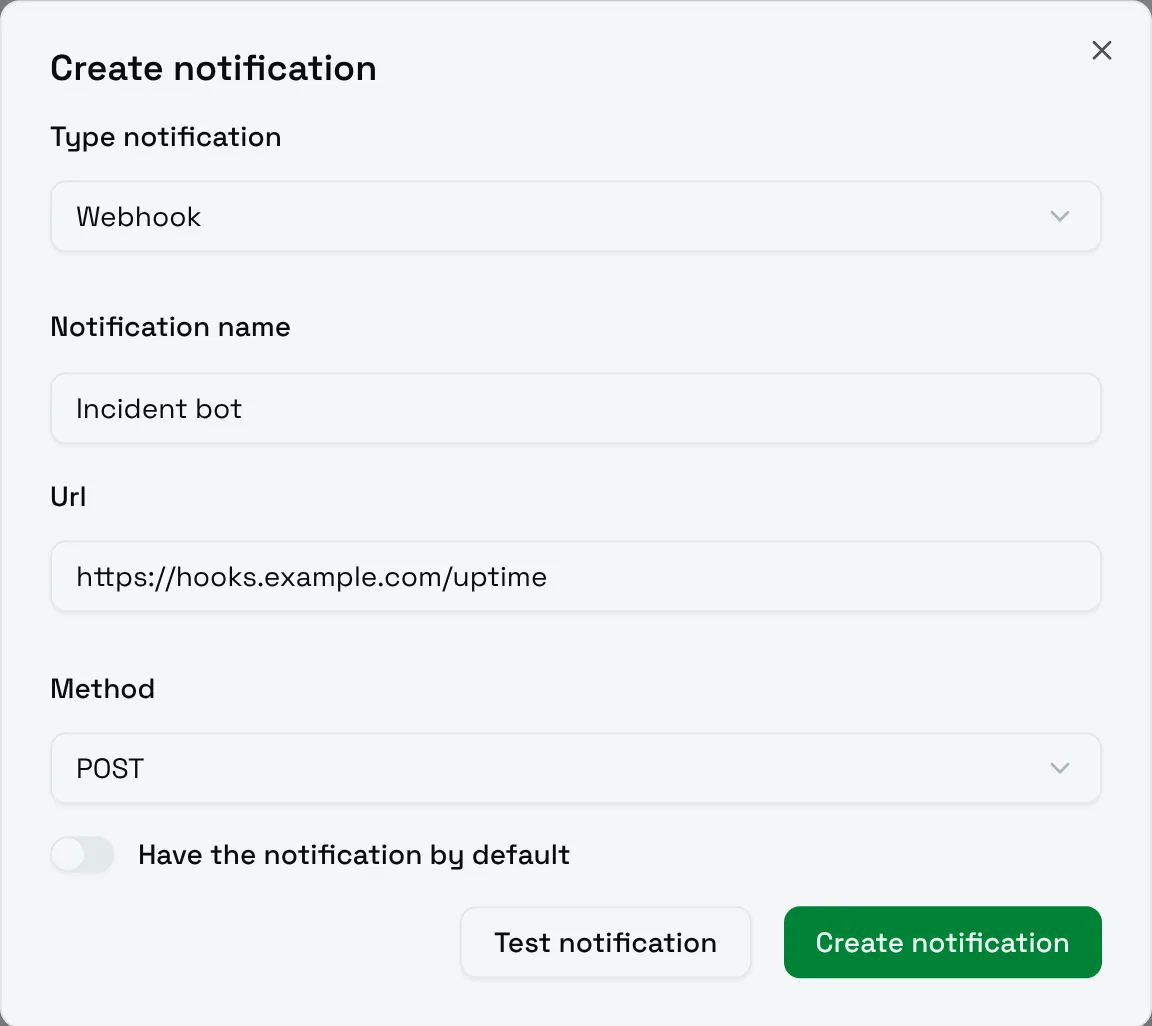
| Field | Meaning |
|---|---|
| Url | The endpoint to call. |
| Method | POST sends the JSON payload below. GET calls the URL without a body. |
Payload
With POST, the body is a JSON object:
JSON
{
	"name": "Payments API",
	"status": "FAILURE",
	"event": "FAILURE",
	"reminderIndex": 0,
	"downtimeSeconds": null,
	"message": "HTTP check failed: Request: unexpected HTTP status 503",
	"runAt": "2026-10-17T18:48:40.451915Z"
}| Field | Meaning |
|---|---|
name |
The name of the monitor. |
status |
The status of the check: SUCCESS, WARNING or FAILURE. |
event |
FAILURE when the monitor goes down, RECOVERY when it comes back, REMINDER for a reminder. A test sends NONE. |
reminderIndex |
The number of the reminder, 0 otherwise. |
downtimeSeconds |
On RECOVERY, how long the monitor was down. null otherwise. |
message |
The message of the check. |
runAt |
When the check ran, in UTC (ISO-8601). |
A recovery looks like this:
JSON
{
	"name": "Payments API",
	"status": "SUCCESS",
	"event": "RECOVERY",
	"reminderIndex": 0,
	"downtimeSeconds": 58,
	"message": "1/1 Request: HTTP 200 in 312 ms",
	"runAt": "2026-10-17T18:49:38.120584Z"
}
Choose Test notification to receive a sample with "name": "Test" and "event": "NONE".